We never fully lost our love for physical media. Tangible copies of music, movies, and books have never been completely obsolete. In fact, collecting has come back in vogue among younger generations. That said, physical media isn’t forever. It can rot, wear, and disintegrate in ways cloud storage can’t.
The truth is, many of us aren’t exactly sure how long our digital media storage lasts, or what factors might affect that longevity. Proper data storage is crucial for managing information and protecting it from loss. But it’s not just about safety; Data storage also involves organizing data to make it accessible and useful.
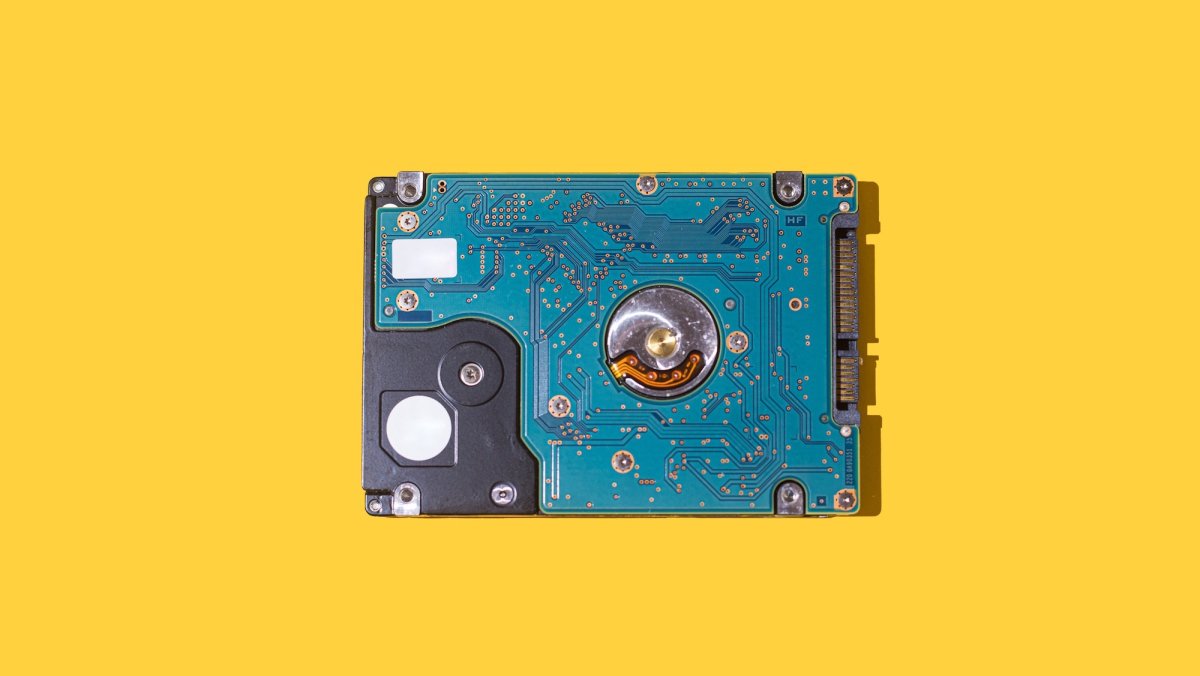
There are several types of digital storage devices available. The most common ones are hard disk drives (HDDs), solid state drives (SSDs), universal serial bus (USB) flash drives, memory cards, and network-attached storage (NAS) devices. Each type has its own advantages and specific use cases. For example, a HDD uses spinning disks and magnetic heads to read and write data, and they’re commonly used in desktop and laptop computers for storing operating systems, applications, and personal files. HDDs typically offer large storage capacities at relatively lower costs compared to other storage devices.
Unlike HDDs, SSDs use flash memory technology to store data electronically. SSDs have no moving parts, making them faster, more reliable, and quieter than HDDs. They are commonly used to enhance the performance of laptops and desktops, high-performance servers and gaming consoles.
Finally, NAS is a storage device that connects to your network and provides a centralized storage option for multiple devices. It’s like a dedicated file server that allows you to store and access files from different devices, such as computers, smartphones, and tablets. It’s based on the same SSD or HDD tech outlined above, but it’s accessed differently.
So how long can you reasonably rely on them? Here’s some guidance…
HARD DISK DRIVES (HDDs)
Most HDDs last three to five years before components start to fail. However, some component failure doesn’t necessarily mean your data is irrecoverably lost. As with any media storing essential data, investing in higher-quality drives can also make a difference. If you hear your drive starting to make unusual noises or vibrate more than it typically does, it may be time to replace it. Even if it’s seemingly working fine, drives can fail with no warning so make sure to keep a second copy somewhere.
SOLID STATE DRIVES (SSDs)
SSDs are built for longevity and typically outlive many other components in your computer. With normal day-to-day usage, most SSDs will last anywhere from five to 10 years, and potentially longer. For the average home user writing 20-40GB of data per day, an SSD can offer decades of reliable performance. But you do have to factor in environmental conditions – extreme temperatures can affect performance and lifespan – drive quality and amount of “typical” usage.
NETWORK-ATTACHED STORAGE (NAS)
On average, an NAS drive is designed to last around three to five years. But like HDDs and SDDS, this can change based on the quality of the drive, usage patterns, environmental conditions, and maintenance practices. NAS systems typically use multi-drive enclosures that sometimes allow users to easily swap drives at regular intervals. While this can add useful redundancy, it also introduces more components to fail.
Higher-quality drives tend to have better components and are built to withstand more rigorous usage. Drives that are constantly accessed and subjected to heavy read/write operations may wear out faster compared to drives that experience lighter usage. Environmental conditions, such as temperature and humidity, can impact the lifespan of a NAS drive. Excessive heat and moisture can cause components to degrade faster.
USB FLASH DRIVE
The advantage of flash drives is that they are portable, durable, and have large storage capacity (up to 4TB). They are also able to retain the memory even after the power is turned off. If you simply write data to a USB flash drive and put it away in a cool, dry place, it can last more than 10 years. Obviously, constant use will affect that lifespan.
MEMORY CARDS
According to SD card standards, a memory cell should be able to preserve data for at least ten years if kept at a consistent temperature. The quality of the card itself, the intensity of use, and the environmental conditions can all influence the actual lifespan of the SD cards. Like the other options, frequent writing and deleting of data, high temperatures, and even humidity can accelerate the aging process of the memory cells.
The interface can often be the failure point for a memory card. An SD card, for example, has plastic teeth that can break over repeated uses. In that instance, your data will be safely stored, but you won’t be able to access it. If you hear an SD card creaking or making any noise as you insert it into your device, it’s likely time for a new one.
Facts Only
Physical media remains popular despite the rise of digital storage.
Digital storage devices include HDDs, SSDs, USB flash drives, memory cards, and NAS.
HDDs use spinning disks and magnetic heads for data storage.
HDDs typically last three to five years before component failure.
SSDs use flash memory and have no moving parts, lasting five to ten years or longer.
SSDs are faster and more reliable than HDDs but can be affected by environmental conditions.
NAS provides centralized storage for multiple devices and lasts around three to five years.
NAS lifespan depends on drive quality, usage, and environmental conditions.
USB flash drives can last over ten years if stored properly but degrade with frequent use.
Memory cards can preserve data for at least ten years under consistent temperatures.
Physical damage to memory cards can prevent data access even if the data remains intact.
Higher-quality drives and proper maintenance can extend the lifespan of storage devices.
Executive Summary
Full Take
The narrative presents a pragmatic overview of digital storage longevity, emphasizing the trade-offs between different technologies and the importance of proactive data management. At its core, it advocates for informed decision-making—balancing cost, performance, and durability—while acknowledging the inevitability of hardware failure. The strongest version of this argument is its focus on empirical lifespans and practical advice, such as backing up data and monitoring drive health, which aligns with broader principles of digital hygiene.
However, the discussion subtly reinforces a technological determinism: the assumption that data preservation is primarily a technical challenge rather than a cultural or institutional one. It doesn’t explore how corporate control over storage formats (e.g., proprietary NAS systems) or planned obsolescence might influence longevity. Nor does it address the environmental costs of e-waste from failed drives or the ethical implications of relying on cloud storage, which centralizes power in the hands of a few providers.
Root cause: The narrative reflects a consumerist paradigm where individuals bear sole responsibility for data preservation, obscuring systemic factors like industry standards, corporate incentives, and policy gaps. This echoes historical patterns where technological solutions are framed as neutral tools, ignoring the power structures shaping their design and deployment.
Implications: For human agency, this means users must navigate a landscape where storage reliability is both a personal and systemic issue. The costs—financial, cognitive, and environmental—are borne by individuals, while benefits accrue to manufacturers selling replacement hardware. Second-order consequences include the erosion of trust in digital archives and the potential loss of cultural artifacts if backup practices aren’t widely adopted.
Bridge questions: How might collective action (e.g., open-source storage standards) shift the burden of data preservation from individuals to communities? What role should regulators play in ensuring storage device longevity and transparency? Would a shift toward decentralized storage models (e.g., peer-to-peer networks) mitigate some of these risks?
Counterstrike scan: A coordinated influence campaign might exploit fears of data loss to push proprietary storage solutions or cloud subscriptions, framing them as the only reliable options. The actual content doesn’t align with this pattern—it presents multiple storage types neutrally and encourages backups—but the omission of systemic critiques could inadvertently serve such narratives. No structural alignment detected.
Patterns detected: none
Sentinel — Human
This article shows signs of being likely human-written, with a personal touch and unique writing style. However, it is important to note that the analysis does not confirm certainty and other forms of AI-assisted manipulation cannot be entirely ruled out.