JetBrains AI
Supercharge your tools with AI-powered features inside many JetBrains products
GitHub Copilot now an Integrated Agent in JetBrains IDEs
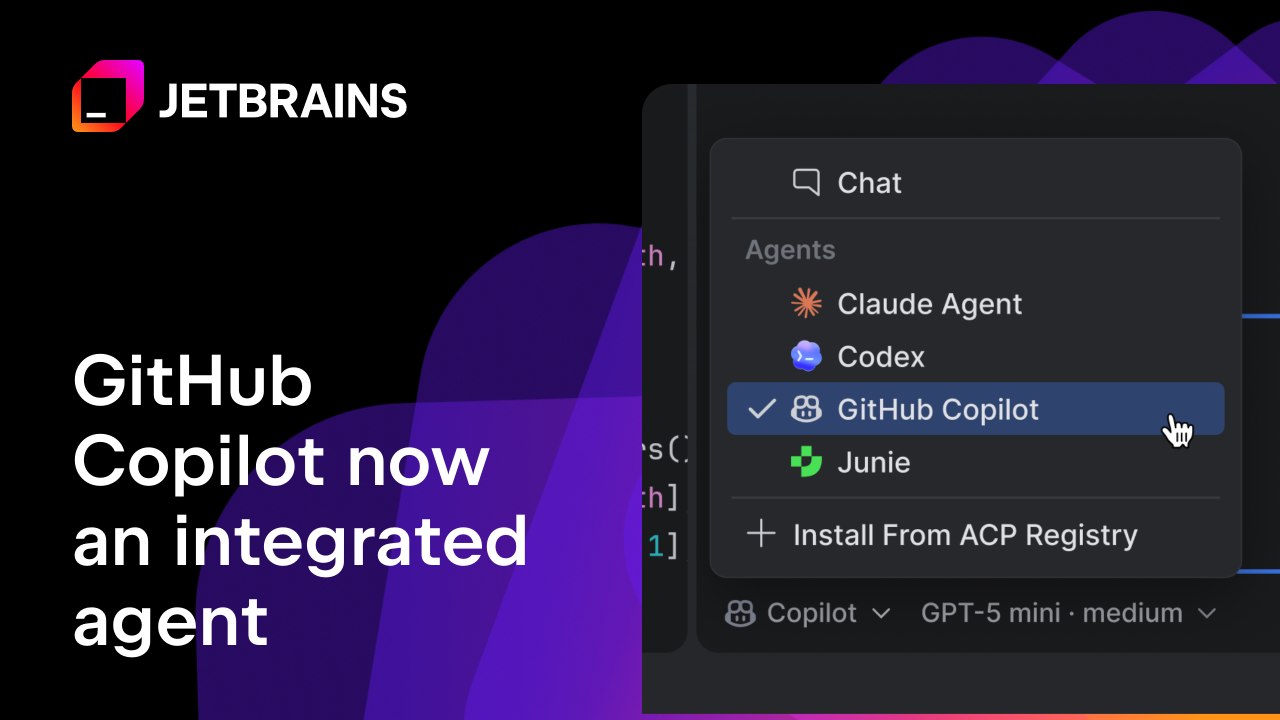
Born out of a deep partnership between JetBrains and GitHub, this integration makes Copilot native in the agent picker and delivers a more stable agent experience directly in the IDE you already use every day.
From ACP Registry to native experience
Copilot was previously accessible via the ACP Registry, but this integration takes things further. JetBrains and GitHub have worked closely together to build an agent experience that is more reliable, thoroughly tested, and available by default inside your IDE. There’s no need to set up or configure anything via ACP — Copilot is just there, ready to use.
The core change is exactly that: greater stability and availability. You spend less time setting things up and more time building. As part of the integration, Copilot CLI slash commands like /remote
and /chronicle
are also available directly in AI chat.
As announced at Microsoft Build, we will continue to deliver more GitHub Copilot × JetBrains experiences through this partnership.
Authentication: What you need to know
Copilot authenticates exclusively via OAuth through your GitHub account. Here’s what that means in practice:
Separate subscription required: JetBrains AI users will need an active GitHub Copilot subscription to use this integration. It is not included with your JetBrains AI subscription.
Login and model picker: A dedicated login flow and model picker will be available, giving you control over which Copilot model you use. Note you need to update your IDE to access this functionality.
Get started with Copilot in your IDE
Open AI chat in your JetBrains IDE, navigate to the agent picker menu, and select GitHub Copilot. From there, follow the OAuth login prompt to connect your GitHub account.
If you’re new to the AI chat, open the JetBrains AI widget in the top-right corner of your IDE, click Let’s Go, and follow the instructions to install the AI Assistant plugin.
Sentinel — Likely Human
The text is highly coherent and structured, resembling a professionally drafted product announcement. While it contains verifiable facts, its polished, balanced tone suggests significant editorial oversight or AI assistance in structuring the information.